Automate Video Creation & Publishing with OpenClaw + Composio + Reelsy
How to build a fully automated pipeline: AI generates videos, then publishes them to YouTube & Instagram — all through MCP
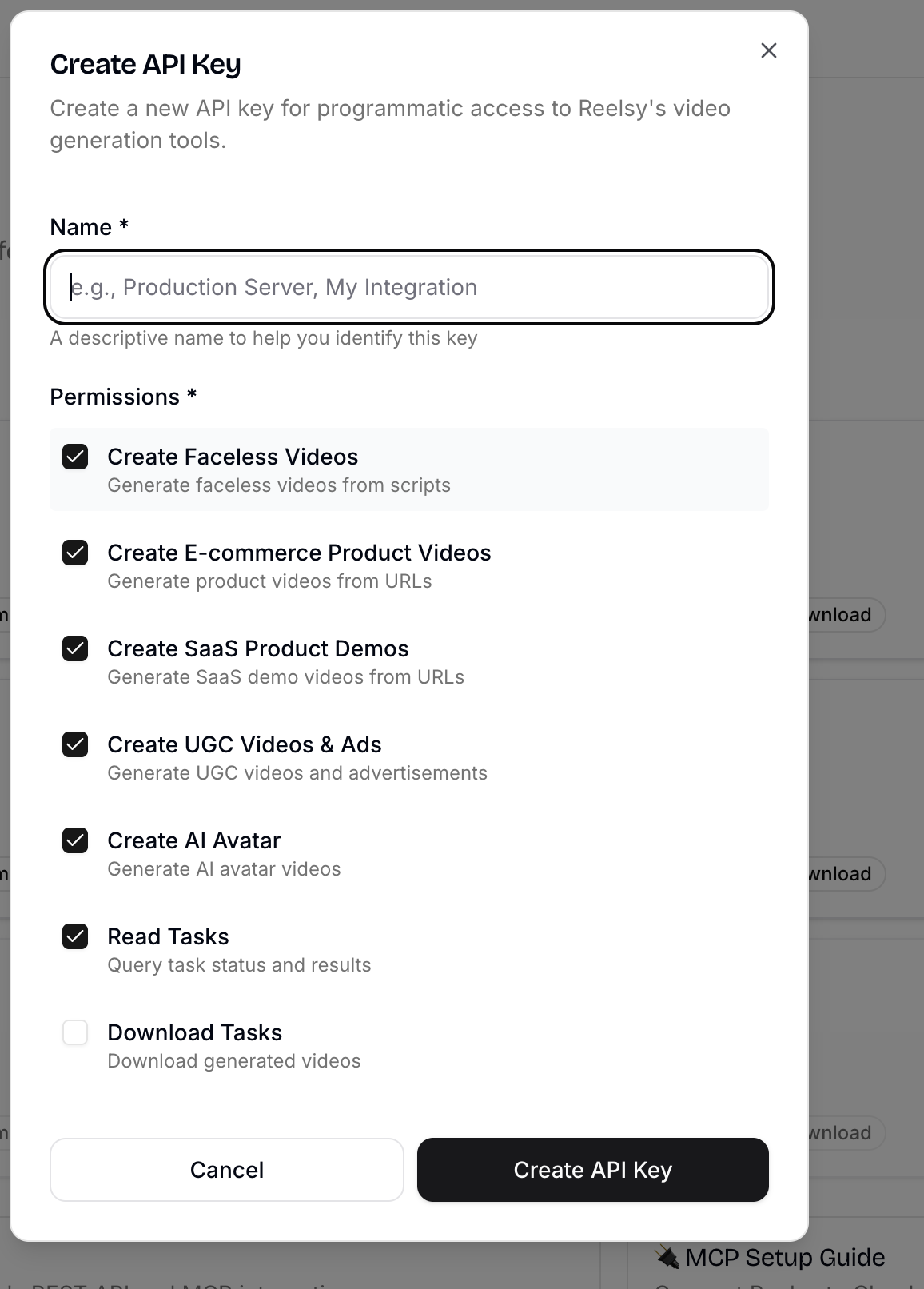
The Problem
Creating and distributing video content is a multi-step, time-consuming process:
- Write a script
- Generate the video (voiceover, visuals, editing)
- Export the final file
- Upload to YouTube with title, description, tags
- Post to Instagram with captions and hashtags
- Repeat for every piece of content
What if your AI assistant could do all of this autonomously — from a single prompt?
The Solution: Three MCP Tools, One Workflow
By combining three MCP-compatible platforms, we can build a fully automated video content pipeline:
| Tool | Role | MCP Support |
|---|---|---|
| Reelsy | AI video generation (faceless, UGC, e-commerce) | reelsy.app/api/mcp |
| Composio | Social media publishing (YouTube, Instagram, etc.) | mcp.composio.dev/youtube |
| OpenClaw | AI agent orchestration — the brain that ties it all together | Local agent with MCP client |
The magic is MCP (Model Context Protocol) — a standardized protocol that lets AI assistants use external tools. OpenClaw acts as the orchestrator, calling Reelsy to generate videos and Composio to publish them.
Architecture Overview
┌─────────────────────────────────────────────────────┐
│                    OpenClaw Agent                     │
│              (Local AI Assistant / Brain)             │
│                                                       │
│  "Create a UGC video about wireless earbuds and      │
│   publish it to YouTube and Instagram"                │
│                                                       │
│  ┌─────────┐    ┌──────────┐    ┌──────────────┐    │
│  │ Step 1   │───▶│ Step 2    │───▶│ Step 3        │    │
│  │ Generate  │    │ Upload to │    │ Post to       │    │
│  │ Video     │    │ YouTube   │    │ Instagram     │    │
│  └─────────┘    └──────────┘    └──────────────┘    │
│       │               │               │              │
│       ▼               ▼               ▼              │
│  ┌─────────┐    ┌──────────┐    ┌──────────────┐    │
│  │ Reelsy   │    │ Composio  │    │ Composio      │    │
│  │ MCP      │    │ YouTube   │    │ Instagram     │    │
│  │ Server   │    │ MCP       │    │ MCP           │    │
│  └─────────┘    └──────────┘    └──────────────┘    │
└─────────────────────────────────────────────────────┘
Step-by-Step Setup
1. Install OpenClaw
OpenClaw is an open-source AI assistant that runs locally on your machine. It supports Mac, Windows, and Linux.
curl -fsSL https://openclaw.ai/install.sh | bash
OpenClaw is model-agnostic — it works with Claude, GPT, or local models. You can interact with it via WhatsApp, Telegram, Discord, Slack, or even iMessage.
2. Configure Reelsy MCP Server
Add Reelsy as an MCP server so OpenClaw can generate videos. Get your API key from reelsy.app/dashboard/api-keys.
MCP Configuration:
{
  "mcpServers": {
    "reelsy": {
      "transport": {
        "type": "http",
        "url": "https://reelsy.app/api/mcp",
        "headers": {
          "X-API-Key": "sk_live_YOUR_REELSY_API_KEY"
        }
      }
    }
  }
}
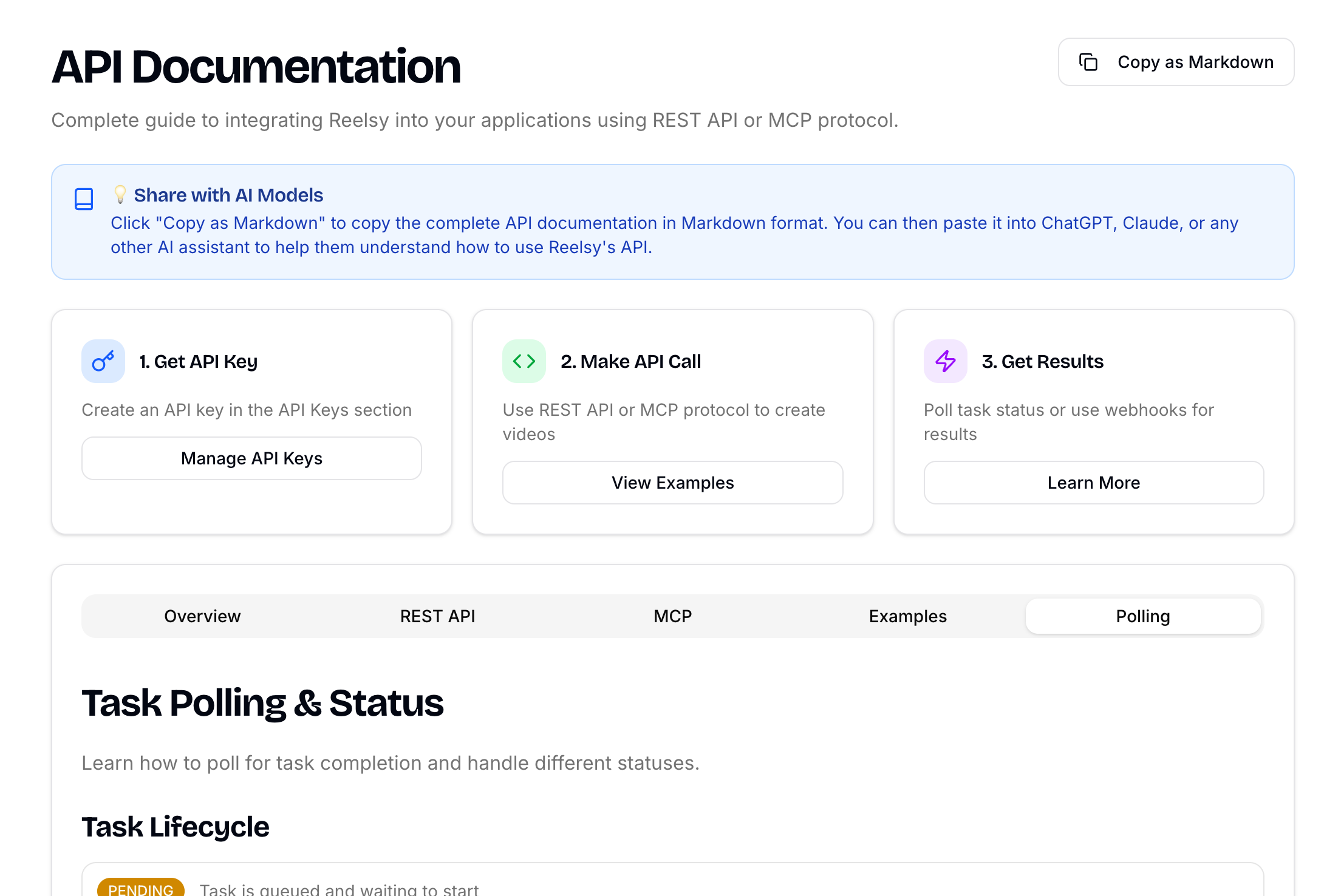
Available Reelsy MCP Tools:
| Tool | Description | Credits |
|---|---|---|
create_faceless_video |
Generate faceless video from script | 18 |
create_ugc_video |
UGC video with real presenters | 24 |
create_ugc_ad |
UGC advertisement content | 24 |
create_ecommerce_product |
Product video from URL | 24 |
create_ecommerce_ugc |
E-commerce UGC video | ~9 |
create_ai_avatar |
AI avatar video | 15-25 |
get_task_status |
Check generation progress | 0 |
3. Configure Composio YouTube MCP Server
Add Composio's YouTube integration so your agent can upload videos directly.
npx @composio/cli add youtube
Or configure manually:
{
  "mcpServers": {
    "youtube": {
      "transport": {
        "type": "http",
        "url": "https://mcp.composio.dev/youtube/YOUR_COMPOSIO_KEY"
      }
    }
  }
}
Key YouTube MCP Actions:
Upload Video— publish video from file or URLUpdate Video— modify title, description, tags, privacyUpdate Thumbnail— set custom thumbnailGet Channel Statistics— check subscriber/view counts
4. Configure Composio Instagram MCP Server
npx @composio/cli add instagram
Or configure manually:
{
  "mcpServers": {
    "instagram": {
      "transport": {
        "type": "http",
        "url": "https://mcp.composio.dev/instagram/YOUR_COMPOSIO_KEY"
      }
    }
  }
}
Key Instagram MCP Actions:
Create Media Container— prepare photo/video/reelCreate Post— publish contentGet Post Insights— track engagement metricsGet Post Comments— monitor audience feedback
Note: Instagram MCP only supports Business and Creator accounts.
The Complete Automated Workflow
Example 1: Faceless Video → YouTube + Instagram
Just send a message to OpenClaw:
"Create a 60-second faceless video about '5 AI tools that will change your workflow in 2026', then upload it to my YouTube channel and post it as a Reel on Instagram."
What happens behind the scenes:
Step 1 — OpenClaw calls Reelsy MCP to generate the video:
// Tool: create_faceless_video
{
  "script": "Here are 5 AI tools that will completely change your workflow in 2026. Number one: OpenClaw — your personal AI assistant that runs locally...",
  "voicePreset": "professional-female",
  "aspectRatio": "9:16"
}
Step 2 — OpenClaw polls get_task_status until the video is ready:
Status: RUNNING → Progress: 40% → matchFootage
Status: RUNNING → Progress: 75% → EDITOR_READY
Status: RUNNING → Progress: 80% → Rendering video
Status: RUNNING → Progress: 97% → Uploading video
Status: COMPLETED → Progress: 100% → Video URL ready!
Step 3 — OpenClaw calls Composio YouTube MCP to upload:
// Tool: Upload Video
{
  "videoUrl": "https://cdn.reelsy.app/videos/abc123.mp4",
  "title": "5 AI Tools That Will Change Your Workflow in 2026",
  "description": "Discover the top 5 AI tools transforming productivity...",
  "tags": ["AI", "productivity", "automation", "2026"],
  "privacyStatus": "public"
}
Step 4 — OpenClaw calls Composio Instagram MCP to post as a Reel:
// Tool: Create Media Container
{
  "videoUrl": "https://cdn.reelsy.app/videos/abc123.mp4",
  "caption": "5 AI tools you NEED in 2026! Which one is your favorite? #AI #productivity #automation"
}
Result: One prompt → video generated → published on YouTube AND Instagram. Zero manual work.
Example 2: E-commerce Product Video
"Create a product video for https://shopmicas.com/collections/new-in/products/mcwkc2512260033 and upload it to my YouTube channel"
OpenClaw will:
- Call
create_ecommerce_productwith the product URL - Reelsy auto-extracts product images, name, and price from the Shopify store
- Generates a professional product video with voiceover
- Uploads the finished video to YouTube via Composio
Example 3: UGC Ad Campaign
"Create a UGC ad for our new wireless earbuds — 'Premium ANC earbuds with 40-hour battery life, glossy white finish'. Post to both YouTube and Instagram."
// Tool: create_ugc_ad
{
  "productDescription": "Premium wireless earbuds with ANC, 40-hour battery life, glossy white finish",
  "productImage": "https://example.com/earbuds.jpg",
  "presenterPiP": "On"
}
Real Results
Here's an actual video generated through this pipeline — an e-commerce product video created via MCP and automatically exported:
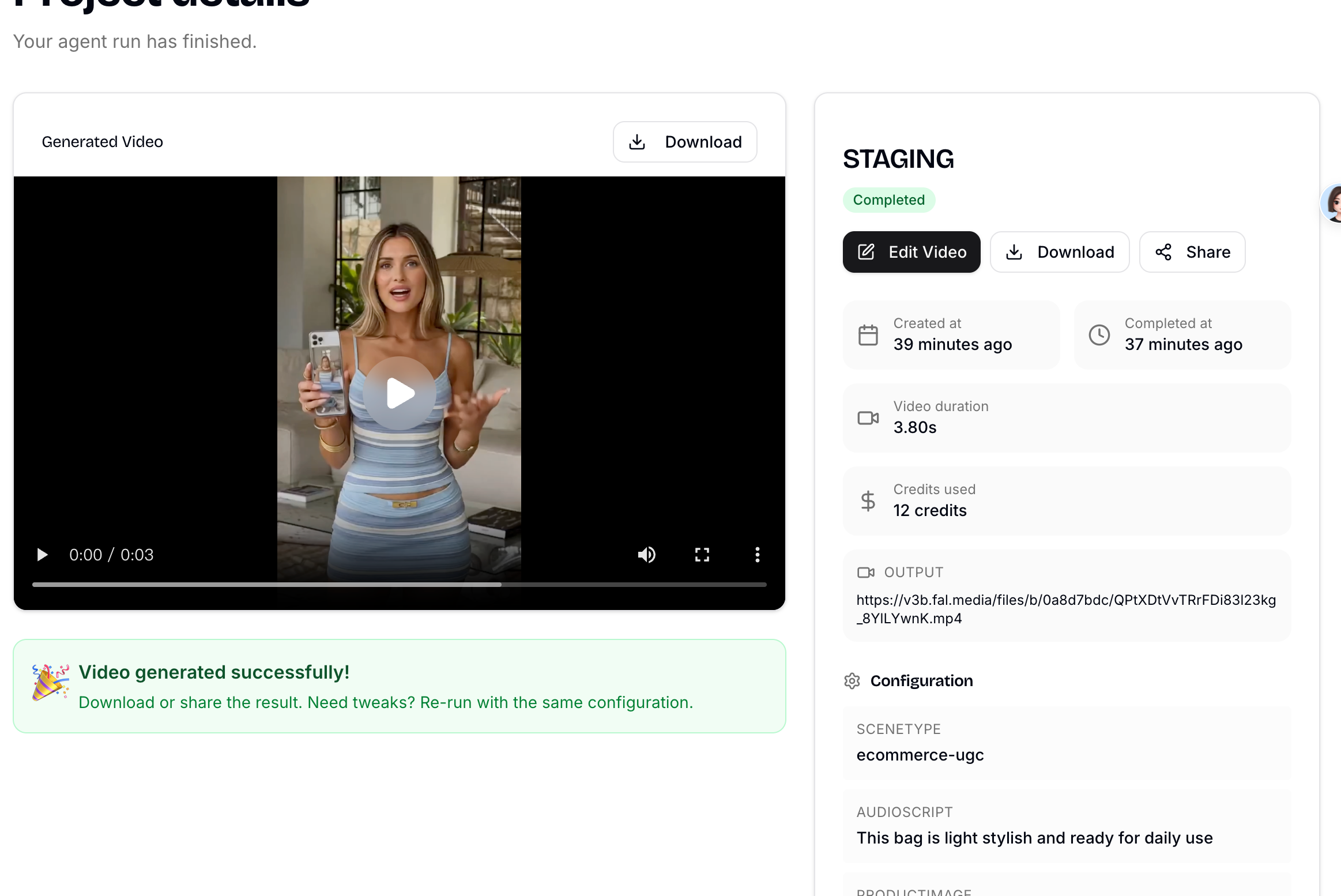
Generated Video: Watch the demo
The entire process — from product URL to finished video — was fully automated through MCP protocol, with no manual intervention required.
Advanced: Schedule Recurring Content
OpenClaw supports cron-like scheduling, so you can automate content on a recurring basis:
"Every Monday at 9am, create a faceless video about the latest AI news and publish it to YouTube and Instagram."
OpenClaw will:
- Research trending AI topics (using browser automation)
- Generate a script
- Call Reelsy to create the video
- Upload to YouTube with SEO-optimized title and tags
- Post to Instagram as a Reel
- Send you a summary via WhatsApp/Telegram
This is autonomous content creation — your AI agent handles the entire pipeline while you focus on strategy.
Why MCP Changes Everything
The key innovation here is MCP (Model Context Protocol). Before MCP, integrating AI with external services required custom API wrappers, authentication handling, and glue code for every single service.
With MCP:
- Reelsy exposes video generation as MCP tools
- Composio exposes 250+ apps (YouTube, Instagram, Twitter, LinkedIn, Reddit...) as MCP tools
- OpenClaw connects to all of them as a single orchestrator
No custom code. No API wrappers. Just configure the MCP servers and let your AI agent handle the rest.
┌──────────┐     MCP      ┌──────────┐
│ OpenClaw  │─────────────▶│ Reelsy    │  → Generate Video
│ (Agent)   │              └──────────┘
│           │     MCP      ┌──────────┐
│           │─────────────▶│ Composio  │  → YouTube Upload
│           │              │ YouTube   │
│           │              └──────────┘
│           │     MCP      ┌──────────┐
│           │─────────────▶│ Composio  │  → Instagram Post
│           │              │ Instagram │
│           │              └──────────┘
│           │     MCP      ┌──────────┐
│           │─────────────▶│ Composio  │  → Twitter/X Post
│           │              │ Twitter   │
└──────────┘              └──────────┘
Getting Started Checklist
- Install OpenClaw —
curl -fsSL https://openclaw.ai/install.sh | bash - Get a Reelsy API key
- Get a Composio API key
- Configure all three MCP servers in OpenClaw
- Connect your YouTube account via Composio OAuth
- Connect your Instagram Business account via Composio OAuth
- Send your first prompt: "Create a faceless video about AI automation and publish it to YouTube"
Conclusion
The combination of OpenClaw + Composio + Reelsy creates a powerful, fully automated video content pipeline:
- Reelsy handles the hard part — generating professional videos from text
- Composio handles distribution — publishing to YouTube, Instagram, and 250+ other platforms
- OpenClaw ties it all together — orchestrating the entire workflow from a single natural language prompt
This is the future of content creation: describe what you want, and your AI agent handles the rest.
No editing software. No upload forms. No scheduling tools. Just one prompt.
Built with Reelsy | Powered by MCP | Orchestrated by OpenClaw + Composio